
For plumbing, electrical, HVAC, roofing, landscaping and GC shops
Rough job notes in.
Clean invoice out.
Replaces the notebook, the paper timesheet and the separate invoice app.
$80/mo per shop · 7-day free trial. Owner and crew included. Create account See how it works
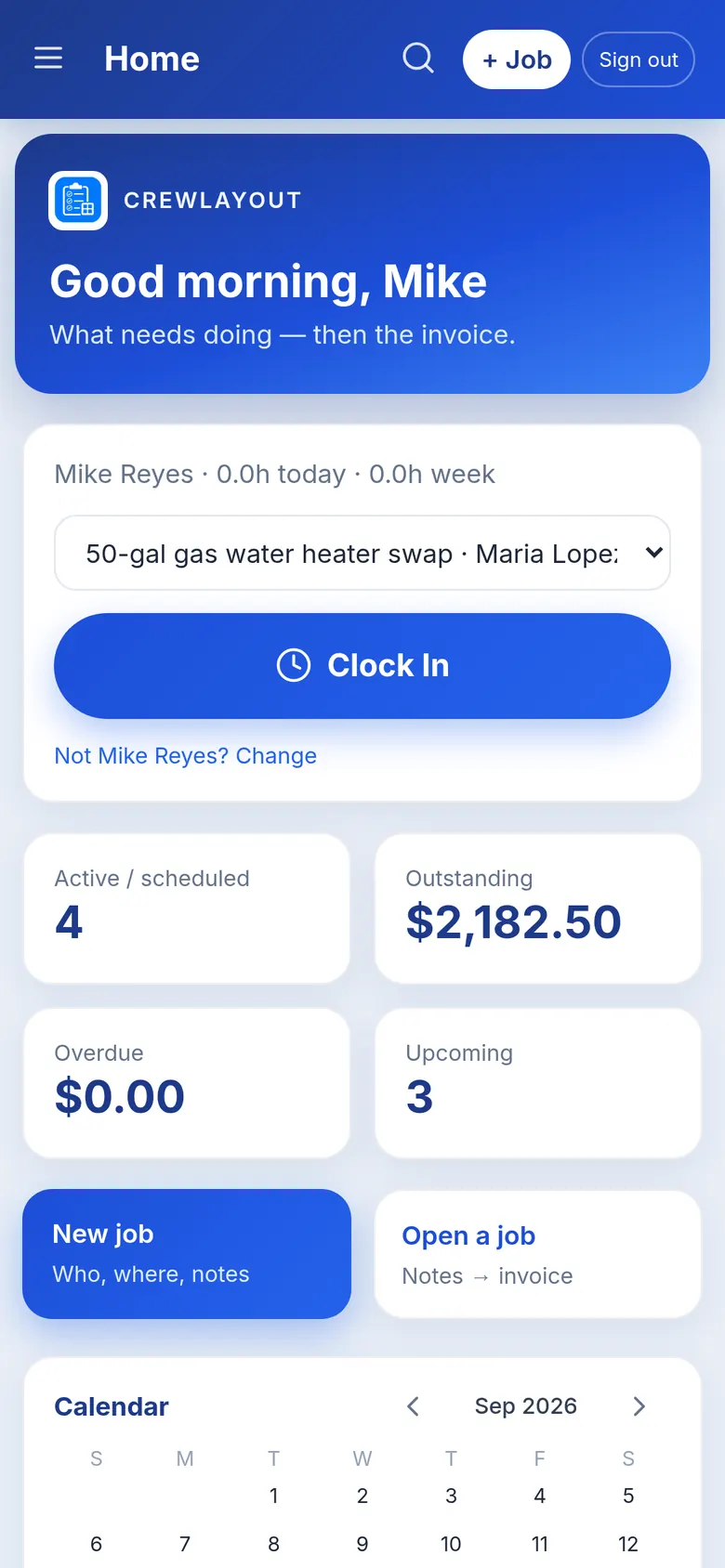
Everything the shop runs on
Jobs, hours and invoices in one place, on the phone you already carry.
Notes to invoice
Type what you did in the truck and get clean scope bullets and a PDF invoice, hourly or contract price.
Crew clock-in
Workers join with the company code and their own PIN, then clock in and out on their phone, even without signal.
Hours on every job
See who is on each job and its hours this week; drive time is tracked as travel and stays off the invoice.
Crew never sees money
Crew see their jobs, notes and their own hours, while invoices, prices and totals stay with the owner.
Photos and materials
Crew send a materials list, job photo or receipt from the job, and it lands on the owner’s phone.
Customer texts, prefilled
Confirm an appointment, send the invoice or remind about an unpaid bill with the customer’s number already filled in.
From the truck to the invoice
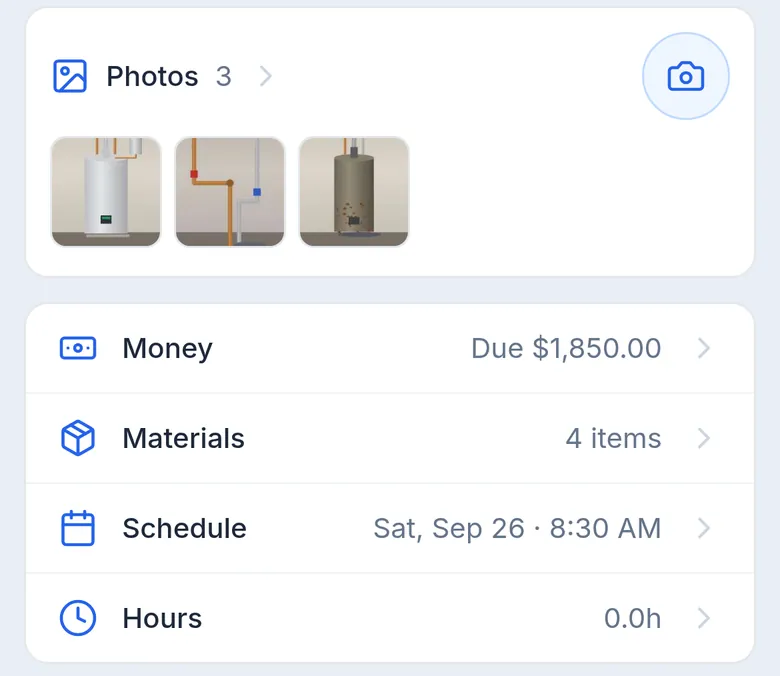
One water heater job, start to finish. These are real screens from the app, running a demo shop.
-
1
Notes on the job
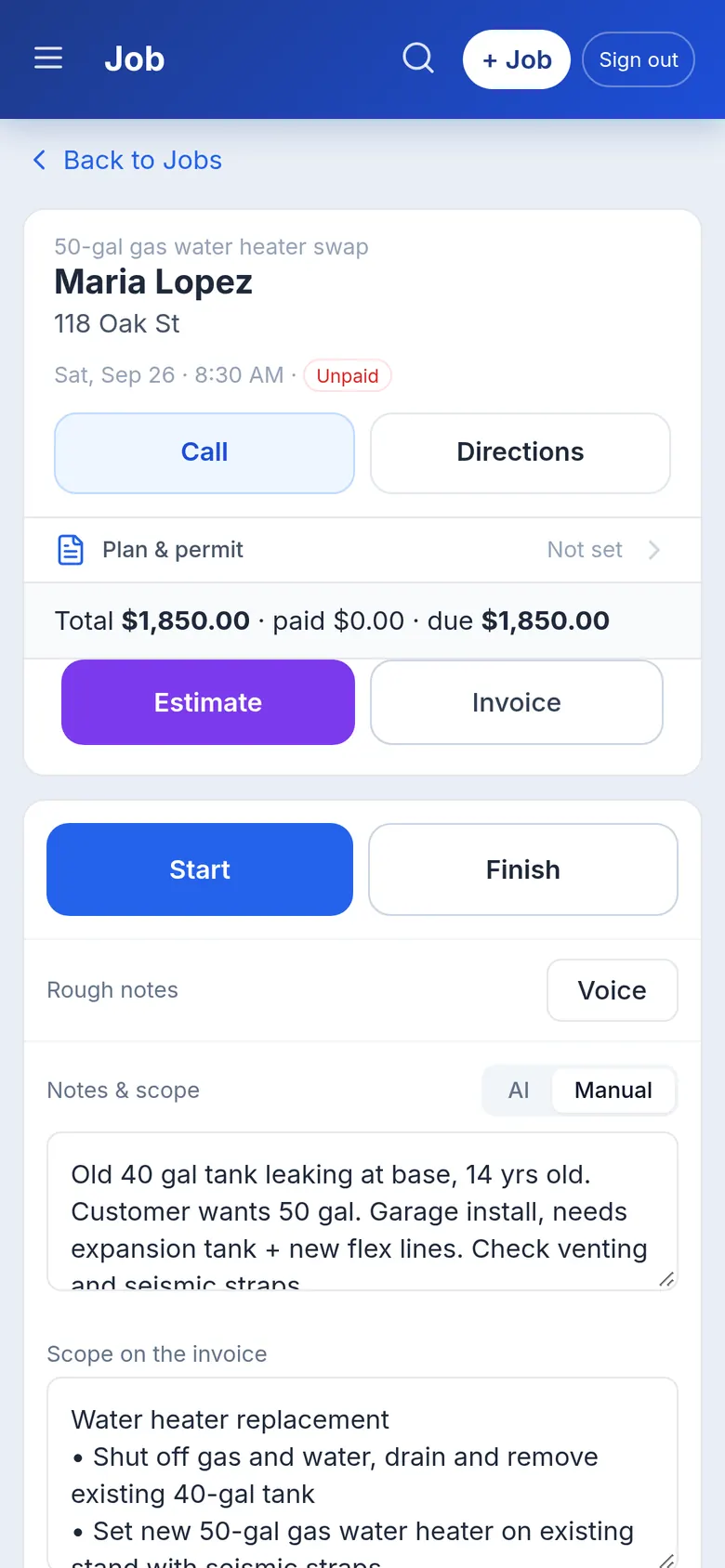
The job holds the customer, address and date. Type rough notes, then tap Write scope for clean bullets you can edit.
-
2
Send the invoice
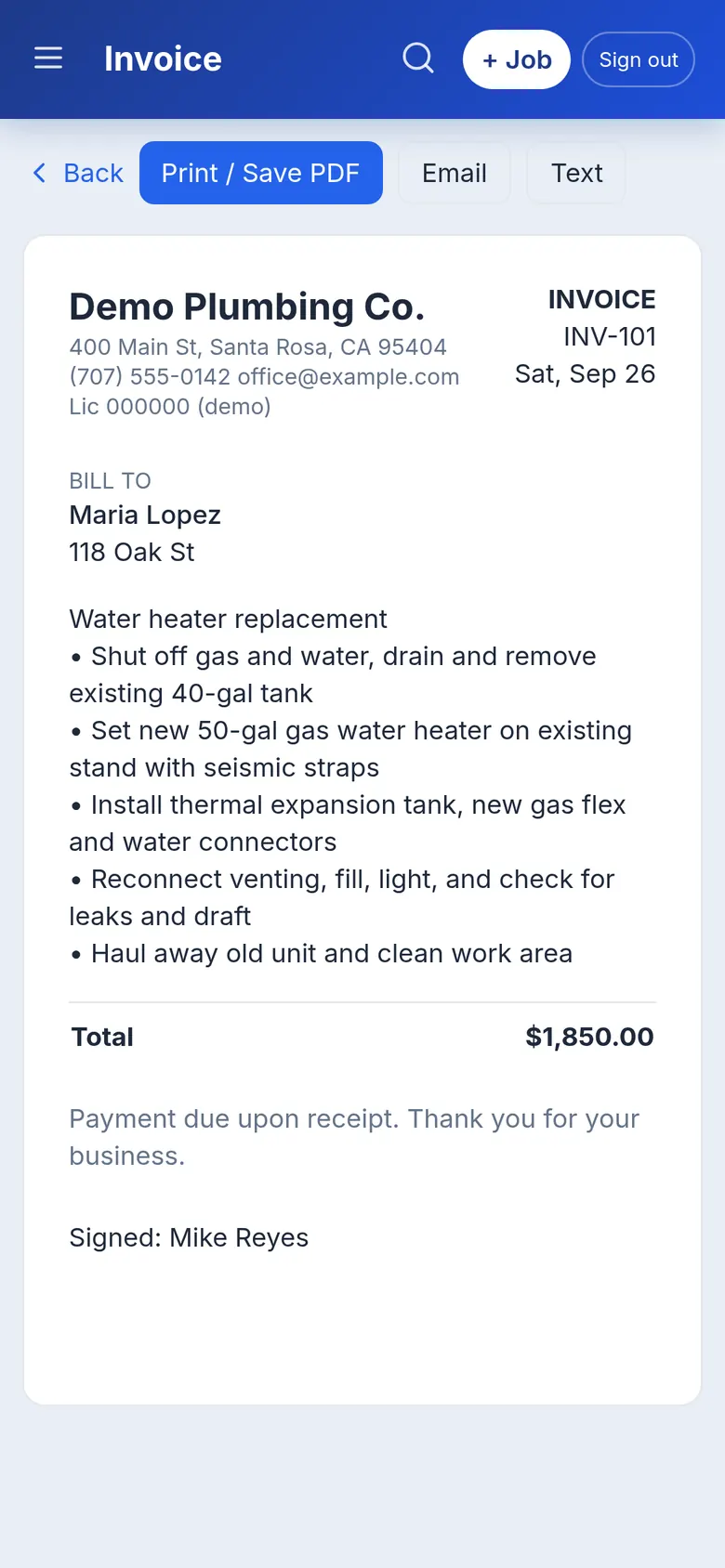
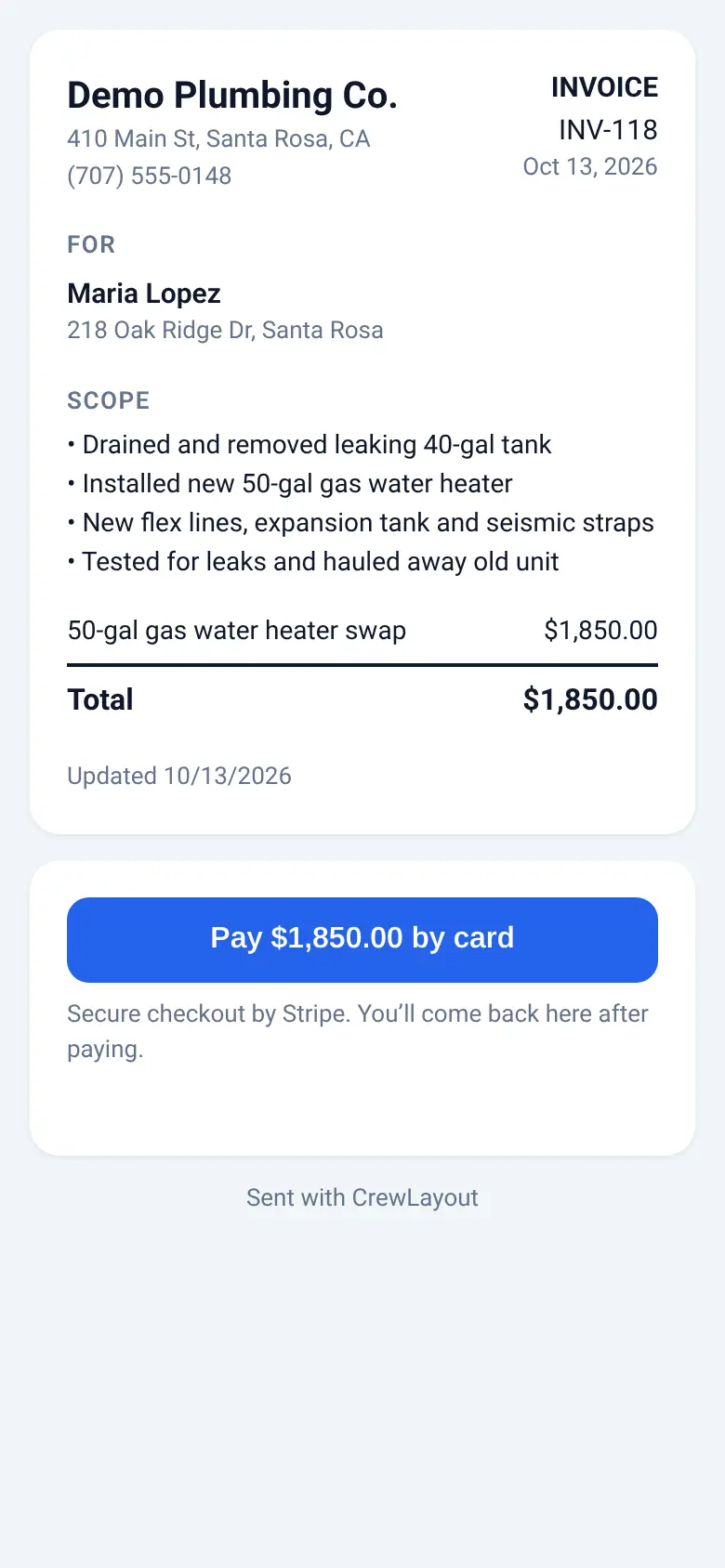
The PDF has your company details, the scope and the total. Text or email it with the customer’s number already filled in.
-
3
Crew clocks in
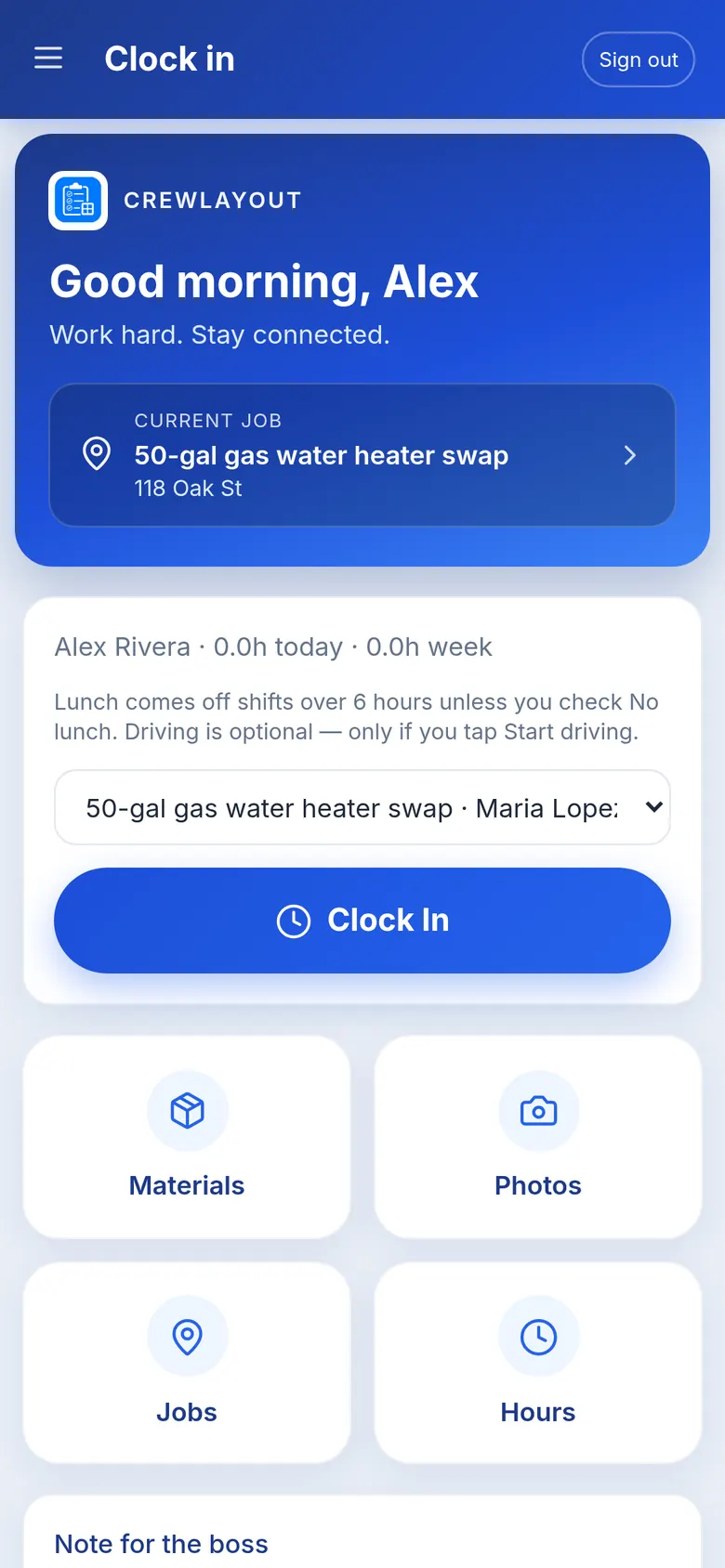
Workers join with the company code and their PIN, pick the job and clock in. Crew never see prices or invoices.
$80/mo per shop. Add a card to start, no charge until day 8.
Built in a working shop
Built alongside a working plumbing shop in Sonoma County. Every screen on this page is the real app, filled with demo data.
Pay now
Get paid before you leave the driveway
Connect Stripe once in the app. Every invoice you send gets a Pay now button, and your customer pays on the spot by card or Apple Pay.
No chasing checks. No “I’ll mail it Friday.” The money goes straight to your Stripe account.
One plan. Whole shop.
Owner and crew, jobs, invoices and clock in/out for one monthly price.
7-day free trial. No charge until day 8.
- • Jobs, estimates and invoices
- • Notes to scope to PDF
- • Owner login plus crew code and PIN
- • Clock in/out, travel and optional lunch
- • Materials, photos and time requests
Questions
How much does it cost?
$80 a month per shop, with a 7-day free trial. It’s one plan, and the owner and crew logins are included. You add a card to start the trial and aren’t charged until day 8. Cancel before then and you pay nothing.
Who is it for?
Small trade shops, such as plumbing, electrical, HVAC, roofing, landscaping and general contractors, where the owner does the billing and a crew works in the field.
What’s the difference between owner and crew?
The owner signs in with the business email and runs jobs, customers, invoices and hours. Each worker joins with the company code and their own 4-digit PIN, then clocks in and out, adds notes and sends materials or photos from the job.
Can my crew see invoices or prices?
No. Crew never see invoices, prices, payments or totals. They see their jobs, the job notes and their own hours.
Does it run payroll?
No, it’s not a payroll app. It keeps track of who worked which job and for how long, with drive time and an optional lunch deduction, so you can pay people the way you do today.
Does it track my crew’s location?
No. There’s no GPS tracking. Crew clock themselves in and out, and they can send a time request if they forget.
Can I try it before I pay?
Yes. Every new shop starts with a 7-day free trial. You add a card to start, and the first $80.00 charge is on day 8. Cancel before then at crewlayout.com/cancel and you won’t be charged. You can also look through the walkthrough above, or email crewlayout.com@gmail.com with any questions.
What happens after I start a shop?
You sign in with your business email and a password and create your shop. Add your business name and logo in Settings, then give each worker a PIN under Team and send them the company code. You can start adding jobs right away.
More help on the support page.